Purview Alert Automation
Automated high-severity Microsoft Purview compliance alert collection using Power Automate, SharePoint Online, and Power BI reporting.
← Back to Phase IILab Overview
This project automates the collection, storage, and reporting of Microsoft Purview compliance alerts. Power Automate captures alert information and stores it in SharePoint Online where it can be visualized in Power BI dashboards.
The solution eliminates manual tracking and provides a centralized repository for compliance monitoring and reporting.
Lab Information
Power Automate
Microsoft Purview
SharePoint Online
Power BI
Solution Workflow
- Microsoft Purview generates a compliance alert.
- Power Automate detects the alert.
- Alert details are collected and processed.
- Data is written to a SharePoint list.
- Power BI reads the SharePoint list.
- Dashboards display alert metrics and trends.
- Administrators monitor high-severity activity.
Configuration Screenshot
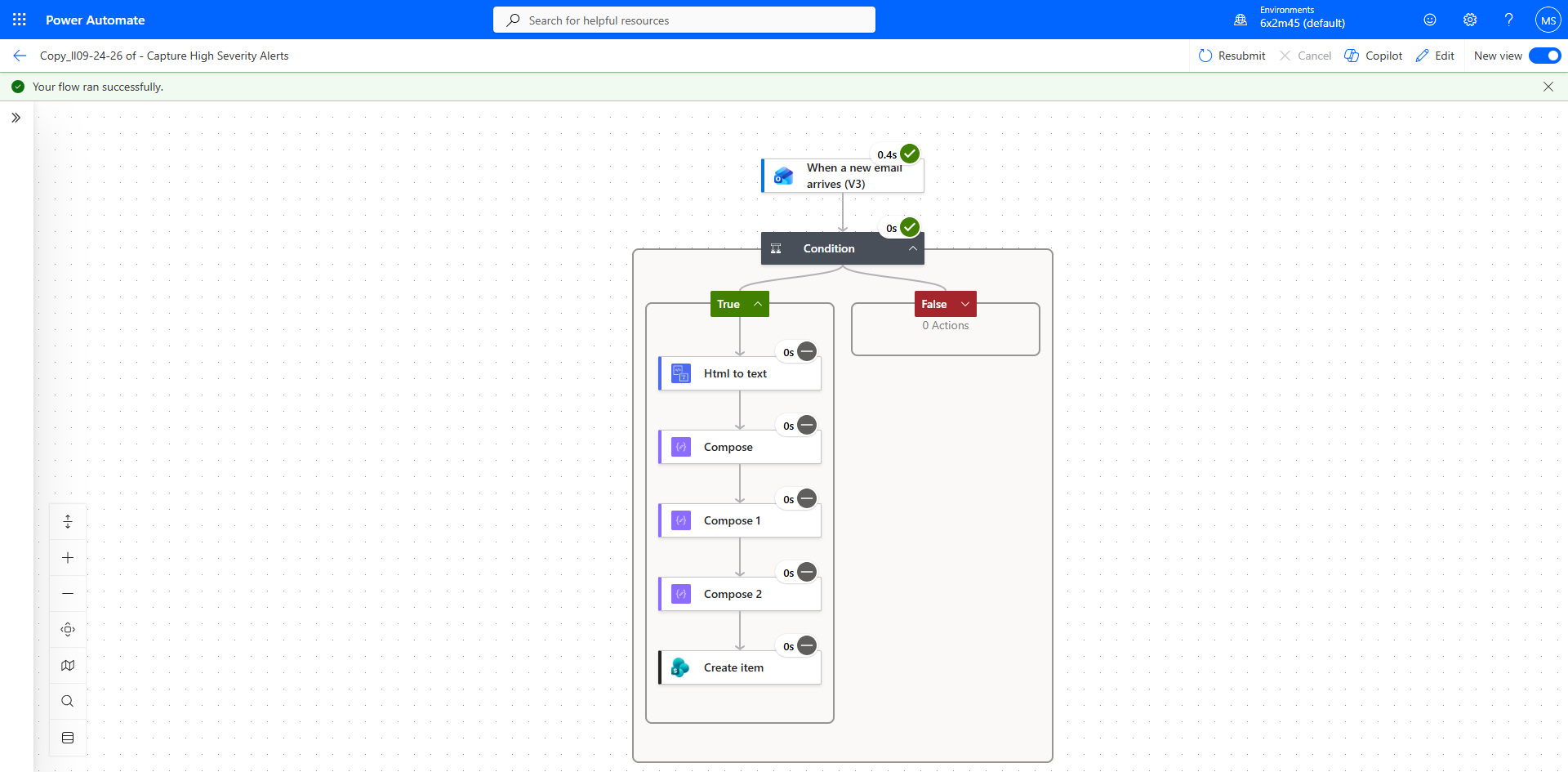
Click the image to view the full-size screenshot.
Example Power Automate workflow processing compliance alerts.
Implementation Steps
- Create SharePoint Online list.
- Define required alert fields.
- Create Power Automate cloud flow.
- Configure Purview alert trigger.
- Map alert fields to SharePoint columns.
- Run validation testing.
- Build Power BI dashboard.
- Validate end-to-end reporting.
Validation Checklist
- Purview alert is successfully generated.
- Power Automate flow triggers correctly.
- Flow completes without errors.
- SharePoint list receives new records.
- Alert details populate correctly.
- Power BI displays new data.
- Dashboard metrics update successfully.
Troubleshooting Guide
| Issue | Resolution |
|---|---|
| Flow not triggering | Verify trigger configuration and permissions. |
| SharePoint item not created | Review Flow Run History for failures. |
| Data missing in Power BI | Refresh dataset and validate SharePoint records. |
| Date fields not displaying | Verify AlertOccurrenceUTC mapping. |
Business Benefits
- Reduces manual compliance tracking.
- Provides centralized alert management.
- Improves visibility into security events.
- Enables trend analysis through Power BI.
- Supports audit and compliance activities.
Lessons Learned
- Automation improves operational efficiency.
- SharePoint provides a simple reporting repository.
- Power BI enables actionable compliance insights.
- Field mapping accuracy is critical.
- End-to-end testing validates solution reliability.