Exchange Online Email Encryption
Microsoft Purview and Exchange Online message encryption using mail flow rules to automatically protect sensitive email communications.
← Back to Phase ILab Overview
This lab demonstrates how Exchange Online mail flow rules can automatically apply Microsoft Purview Message Encryption to email messages containing sensitive information.
The goal is to protect confidential communications while ensuring secure delivery to internal and external recipients.
Lab Information
Exchange Online
Message Encryption
Information Protection
Intermediate
Architecture Flow
- User composes an email.
- Exchange Online processes the message.
- Mail flow rule evaluates conditions.
- Encryption action is automatically applied.
- Message is securely delivered.
- Recipient opens encrypted message.
- Protection remains with the content.
Configuration Screenshot
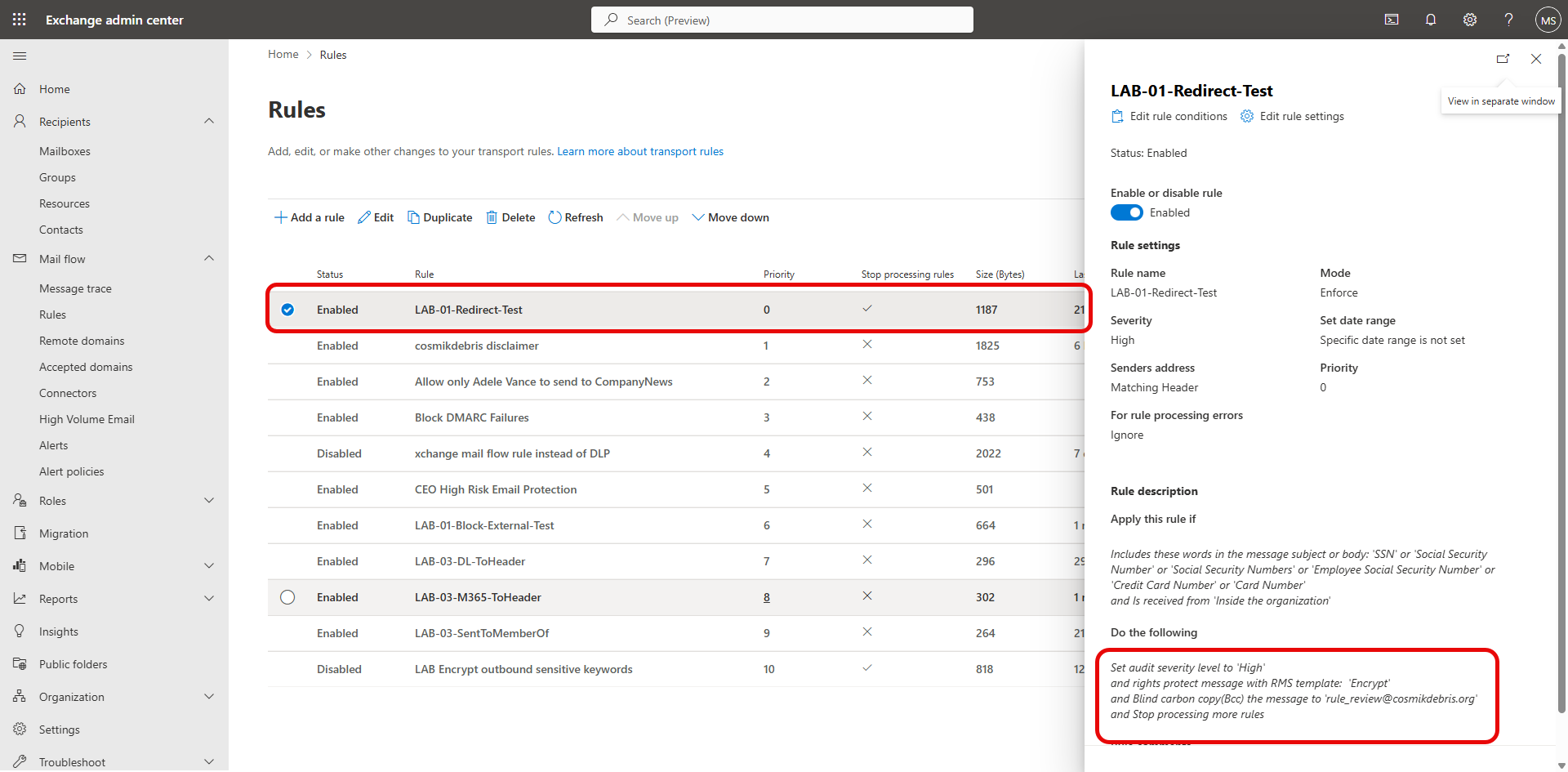
Click the image to view the full-size screenshot.
Example Exchange Online mail flow rule applying Microsoft Purview Message Encryption.
Implementation Steps
- Navigate to Exchange Admin Center.
- Create a new mail flow rule.
- Select rule matching conditions.
- Choose Apply Office Message Encryption.
- Enable the rule.
- Send validation messages.
- Verify encryption behavior.
- Review message trace results.
Validation Checklist
- Mail flow rule saves successfully.
- Rule triggers for expected messages.
- Encryption banner appears.
- Recipient can securely read email.
- External recipient access succeeds.
- Message trace confirms rule execution.
- No unintended mail flow disruption occurs.
Troubleshooting Guide
| Issue | Resolution |
|---|---|
| Rule not triggering | Review mail flow rule conditions. |
| Email not encrypted | Verify encryption action is configured. |
| Recipient cannot open email | Validate recipient authentication requirements. |
| No message trace results | Confirm delivery completed and query timeframe. |
Lessons Learned
- Encryption can be automated through mail flow rules.
- Testing with internal and external recipients is important.
- Message trace helps validate rule processing.
- Information protection can be applied transparently.